Showing posts with label tablet the new technology. Show all posts

Friday, 17 June 2011

Review: Kobo eReader Touch Edition


Short version: Superficially similar to the new Nook, but the Kobo is perhaps even simpler, and the form factor is slightly more book-like. If you don’t need 3G or the other perks of the Kindle ecosystem, and just want a straightforward e-book reading device, this Kobo could be a good match.

Features:
  • 6-inch touchscreen Pearl E Ink display
  • 2GB (~1.5GB accessible) internal space
  • MicroSD cards slot
  • Supports ePub and PDF (and unofficially CBZ, CBR, rtf, HTML, and txt)
  • MSRP: $129.99
Pros:
  • Extremely simple operation
  • Design and quilted back make it a comfortable device to hold
  • Touchscreen elements quick to respond (i.e. keyboard, sliders)
Cons:
  • Not really a better reading experience than other devices (though not a worse)
  • No 3G option
  • Lacks the bells and whistles of Amazon’s Kindle services


It’s easier to show the functions of the Kobo than describe them, so watch this brief video of a few normal uses of the device to get a feel for how it responds to touch.

In addition to what’s shown in the video, there’s unofficial support for some image and archive files, and somehow I managed not to show the Library — but it’s what you expect.


The question here isn’t really what does the Kobo do, but what does the Kobo do differently? In many ways it is nearly identical to the Nook, at least to the end user. Same screen, same speed, same page caching, etc. It has fewer buttons (just the one home button and a sleep/wake switch) and of course accesses a different store, but the actual e-reading experience will be mostly the same.
The UI is similar to the previous Kobo, which is to say clean and unassuming. Navigating by touch improves it, I think, and the Pearl screen does what it does, equally as well as the other devices that have it. Navigation is now achieved by touching the page numbers at the bottom of books or PDFs, which then brings up your scrub bar, font options, and so on.
You have access to the Kobo e-book store, which has plenty of titles — most of the big bestsellers and tons of free books. You can also drag and drop your own ePub, text, or PDF files onto the MicroSD card and it’ll find them, including if they’re organized in folders. PDFs are easy to zoom in on and scroll around, though their scanned text doesn’t fare so well on e-paper screens.

The question here isn’t really what does the Kobo do, but what does the Kobo do differently? In many ways it is nearly identical to the Nook, at least to the end user. Same screen, same speed, same page caching, etc. It has fewer buttons (just the one home button and a sleep/wake switch) and of course accesses a different store, but the actual e-reading experience will be mostly the same.
The UI is similar to the previous Kobo, which is to say clean and unassuming. Navigating by touch improves it, I think, and the Pearl screen does what it does, equally as well as the other devices that have it. Navigation is now achieved by touching the page numbers at the bottom of books or PDFs, which then brings up your scrub bar, font options, and so on.
You have access to the Kobo e-book store, which has plenty of titles — most of the big bestsellers and tons of free books. You can also drag and drop your own ePub, text, or PDF files onto the MicroSD card and it’ll find them, including if they’re organized in folders. PDFs are easy to zoom in on and scroll around, though their scanned text doesn’t fare so well on e-paper screens.


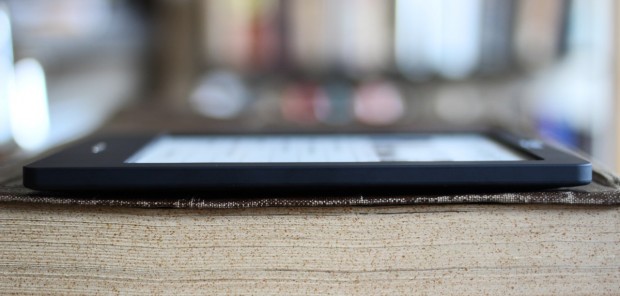
The device itself is light and comfortable to hold, the lovely Kobo trademark quilted back being soft and inviting as always. It really has been reduced to just a screen and a button, there’s very little to say but that it’s nice. Personally I like how it looks better than the Nook and the Kindle both. It also comes in several finishes, though the black is probably the most tasteful.
Conclusion
It’s a close race, but if you’re just going to be using this device for plain old reading, the Kobo is in my opinion the best bet right now. If you’re interested in social recommendations, 3G, apps, or any of the other bonus features found on the Nook and Kindle, it’s best to go with one of those, obviously, but the totally uncluttered and ultra-simple operation of the Kobo eReader Touch Edition makes it a perfectly good choice for an e-reading novice or purist.

Thursday, 2 June 2011

Kingston Introduces Wi-Drive, Portable Hard Drive Connected IOS Via Wifi


Limitations of the iPhone, iPad Touch or iPod it has no memory card slot so you can easily supplement the capacity of memory for your machine, this is a real need. So a series of companies specializing in the manufacture of storage devices have jumped into this lucrative market, finding a storage solution for wireless. After Seagate (with GoFlex Satellite), the last Kingtong also launched its own solutions, such as Wi-Drive. The compact portable hard drive can be via wireless links, with IOS, you are provided a separate software, with other devices you can use your browser to access.


Wi-Drive can be connected to multiple devices simultaneously and transfer rate is quite good. Kingston is promising up to 4 hours of battery life. Its weakness is in storage, While Seagate went the mass storage route with a 500GB hard drive, today Kingston is announcing its Wi-Drive an external 16GB or 32GB. Rates corresponding to each version is $ 129.99 (16GB) and $ 174.99 (32GB).

Silicon supervisor gets the job done online


WHEN it appeared on Mechanical Turk, an outsourcing website run by Amazon, Boris Smus's request looked unremarkable. He wanted people to search the web and gather a few facts about New York City. Workers snapped up the tasks and answers rolled in within minutes. Quick to complete and requiring no specialist skills, it was typical of work available on the site, which usually pays a few cents per task.
There was, however, something unusual about the job. It was not posted by Smus, a researcher at Carnegie Mellon University in Pittsburgh, Pennsylvania, but by software he had created. The same software also posted editing and writing jobs. As the results came in, it farmed the text back out for further checking and editing. The result was an encyclopedia entry on New York ...

Microsoft’s Sinofsky Previews Windows Version for Tablets


une 2 (Bloomberg) -- Microsoft Corp. Windows President Steven Sinofsky previewed a touch-screen version of the operating system that can work on tablets, offering a glimpse of his company’s response to Apple Inc.’s iPad.
Windows 8 resembles Microsoft’s software for mobile phones and uses “tiles,” rather than icons, to help users navigate between applications, Sinofsky said at AllThingsD’s D9 Conference in Rancho Palos Verdes, California. Microsoft demonstrated Windows 8 on a 10.6-inch touch-screen tablet and said the operating system can also work on desktop computers.
Microsoft, the world’s biggest software maker, is rushing to adapt Windows so it can run on devices that compete with the iPad, which dominates the tablet market. The new operating system won’t be out until next year, people familiar with the plans said in March. Still, the company is eager to show it’s making progress in developing software that can be used by computer makers and chip suppliers.
“What we set out to do with Windows 8 was really try to reimagine what we could do with a PC,” Sinofsky said. “You could sort of say we colored outside the lines.”
He declined to say when the software would be available, except to note it “won’t be this fall.” Sinofsky said the company would provide additional information on the product at a developer conference later this year.
Computex Demonstration
Microsoft also previewed Windows 8 to customers, partners and media at the Computex show in Taipei today. Vice President Mike Angiulo ran the system on tablets, notebooks and desktop systems made by Dell Inc, Asustek Computer Inc, and Quanta Computer Inc. using chips and technology from ARM Holdings Plc, Qualcomm Inc., Texas Instruments Inc. and Nvidia Corp.
The design of the software is similar to the tile interface on Microsoft’s Windows Phone 7 mobile-handset software. Like that program, Windows 8’s tiles can be automatically updated to display information from apps on the computer’s start screen, so a weather app can tell the user that it’s forecast to be sunny without requiring them to open the application.
The software also will run on desktop and laptop computers via a touch screen, mouse or keyboard. And it will run existing Windows applications, the company said.
Windows 8 is the biggest operating system change the company has made since Windows 95, said Julie Larson-Green, a Microsoft vice president who demonstrated the software during Sinofsky’s speech.
Intel, ARM
Larson-Green showed the software running on an Intel Corp. chip. The operating system also will be the first full version of Windows capable of operating on chips made with technology from ARM Holdings.
Microsoft lags behind Apple in tablets despite promoting earlier versions of the format for at least a decade. None of those tablets ever took off with consumers. Apple, which develops the hardware and software that runs the iPad, introduced its device in 2010.
The global tablet market will almost quadruple this year to 70 million units from 18 million in 2010, according to Jefferies Group Inc. Apple will control about 64 percent of the 2011 tablet market, dropping to 41 percent in 2012, when 158 million units will probably be sold, Jefferies estimates.
Microsoft fell 21 cents to $24.22 at 4 p.m. New York time on the Nasdaq Stock Market. The shares fell 12 percent this year before today.


Enews And Updates